Confidentiality

This case study omits or anonymity certain details (data, copy, and internal documentation) to respect client confidentiality. It is shared here privately for portfolio and discussion purposes only. 

Full Case Study: Please contact me at gopi@gtrdesign.ca to view this link.
Product
Nova (TrueSpark), an enterprise web app that speeds up residential appraisal by automating data import, market analysis, and adjustments between form‑filler tools and final Uniform Residential Appraisal Report (URAR) reports.
Users
Professional appraisers (often 50+, but is rapidly transitioning to a younger demographic), using older laptops and legacy tools.
Problem
Existing tools are slow, cluttered, and error‑prone; previous tools from client were fragmented and not designed as one product.
Role 
Senior UX Designer responsible for interaction design and IA across sessions, data import, Market Trends, Grid, and Adjustments, in collaboration with product, front‑end, and data science.
Goal
Reduce time and errors in building defensible appraisal reports while preserving URAR/1004 compliance and appraisers’ control.


Section A – Designing the appraisal workflow
Reframing Spark and Synapse into a single Nova workflow that matches how appraisers actually think about sessions, data, and reports.

Spark and Synapse started as helper tools bolted onto legacy form‑fillers; the first step was to understand their combined workflow and pain points.


From helper tools to Nova
Spark and Synapse started as helper tools bolted onto legacy form‑fillers; the first step was to understand their combined workflow and pain points.
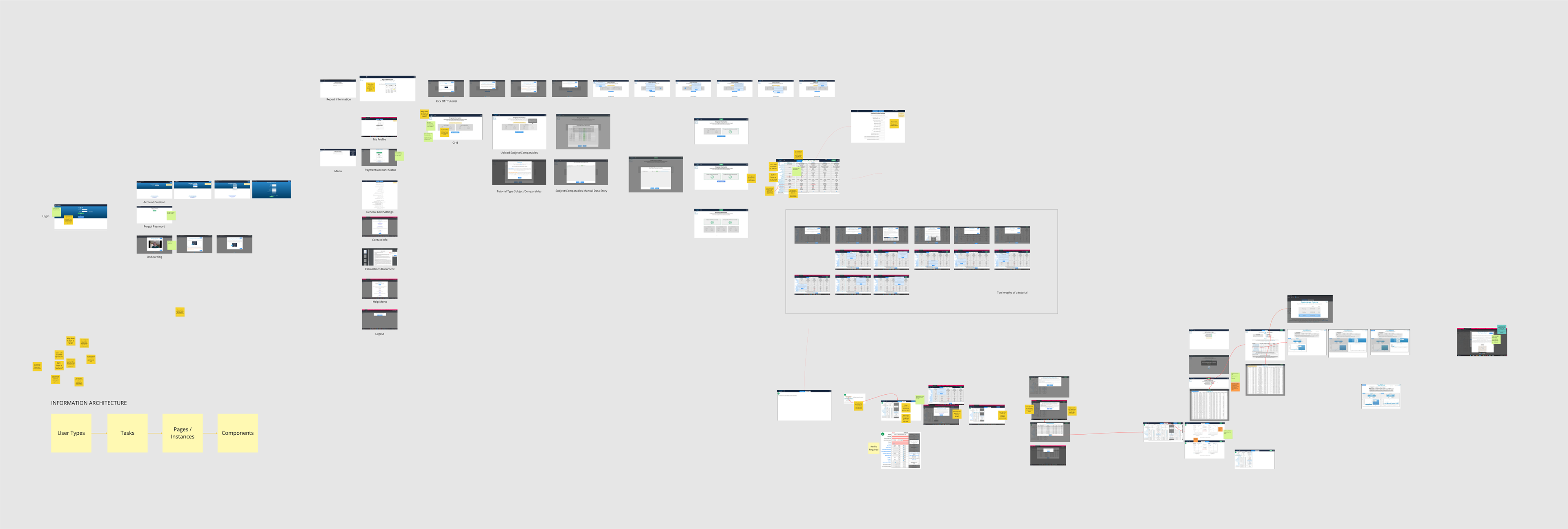
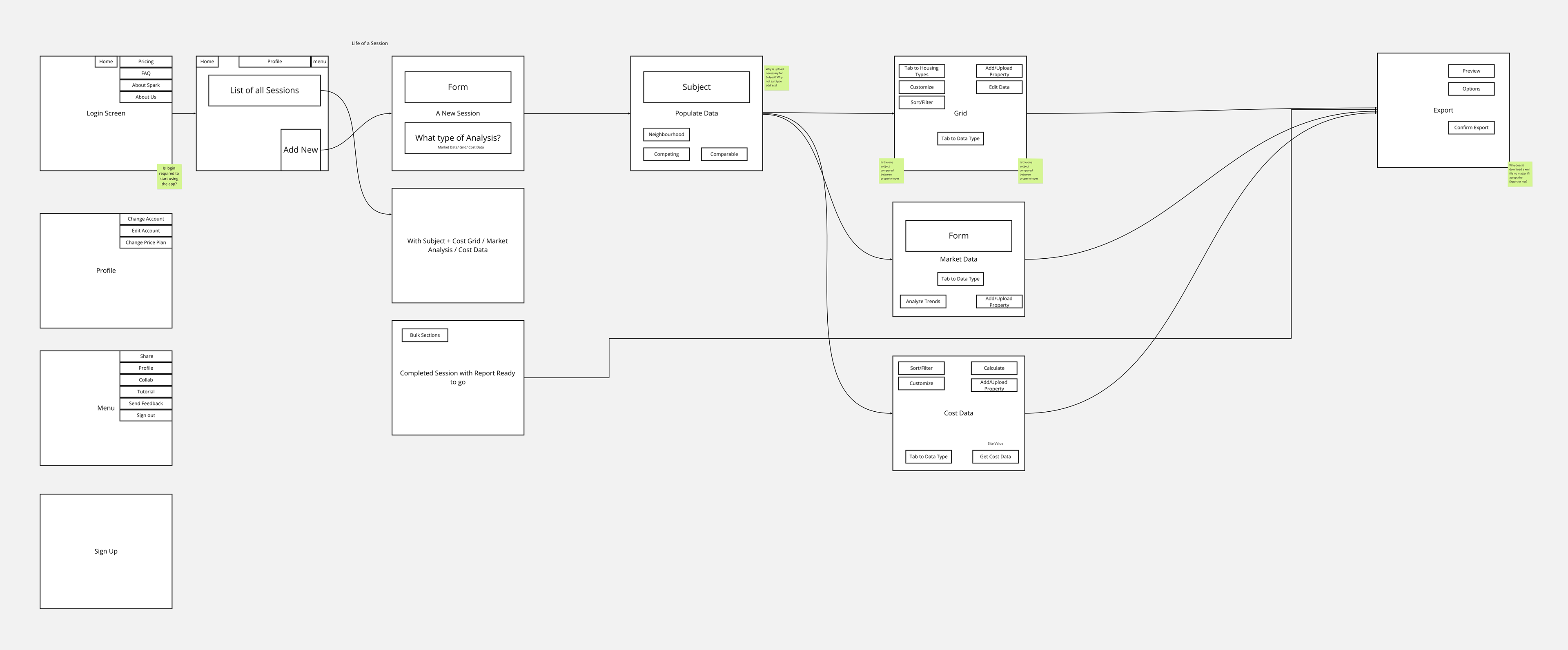
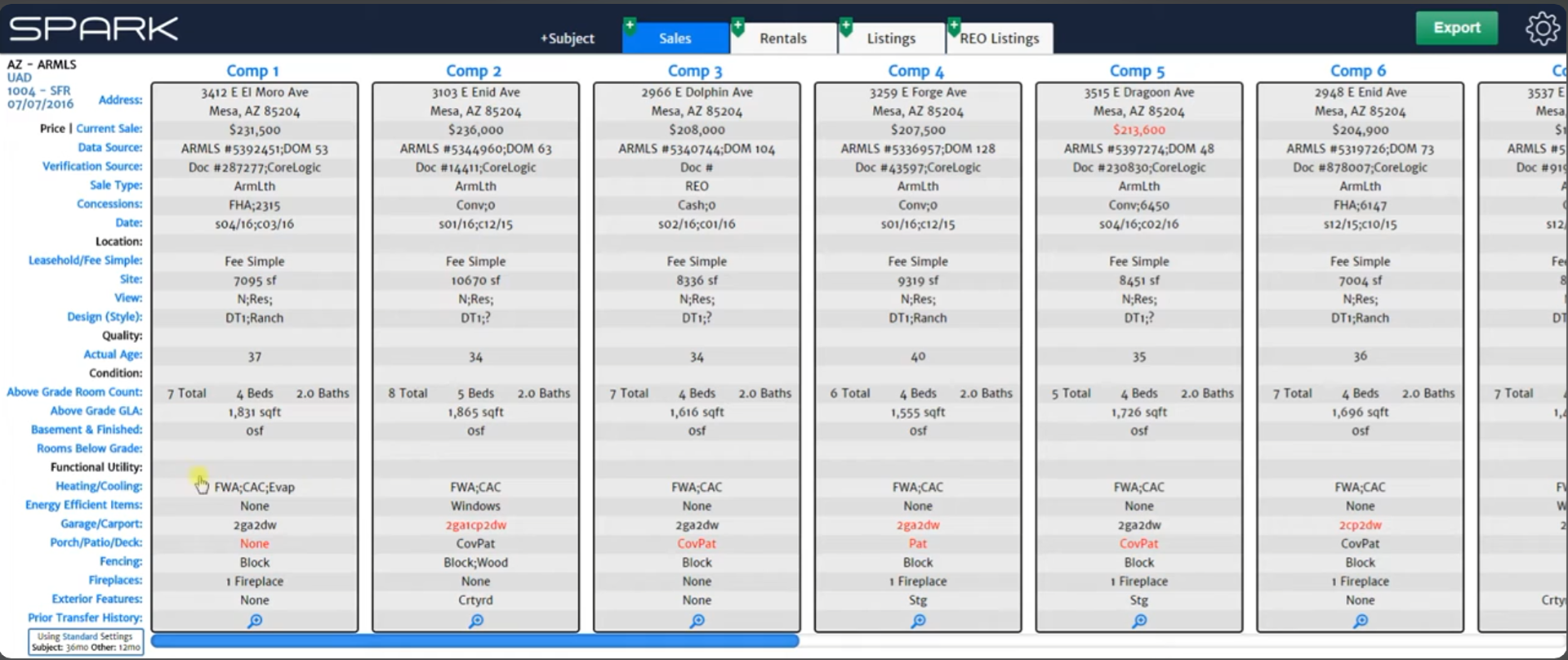
Full Map of the existing production app of Spark as current appraisers experienced them.
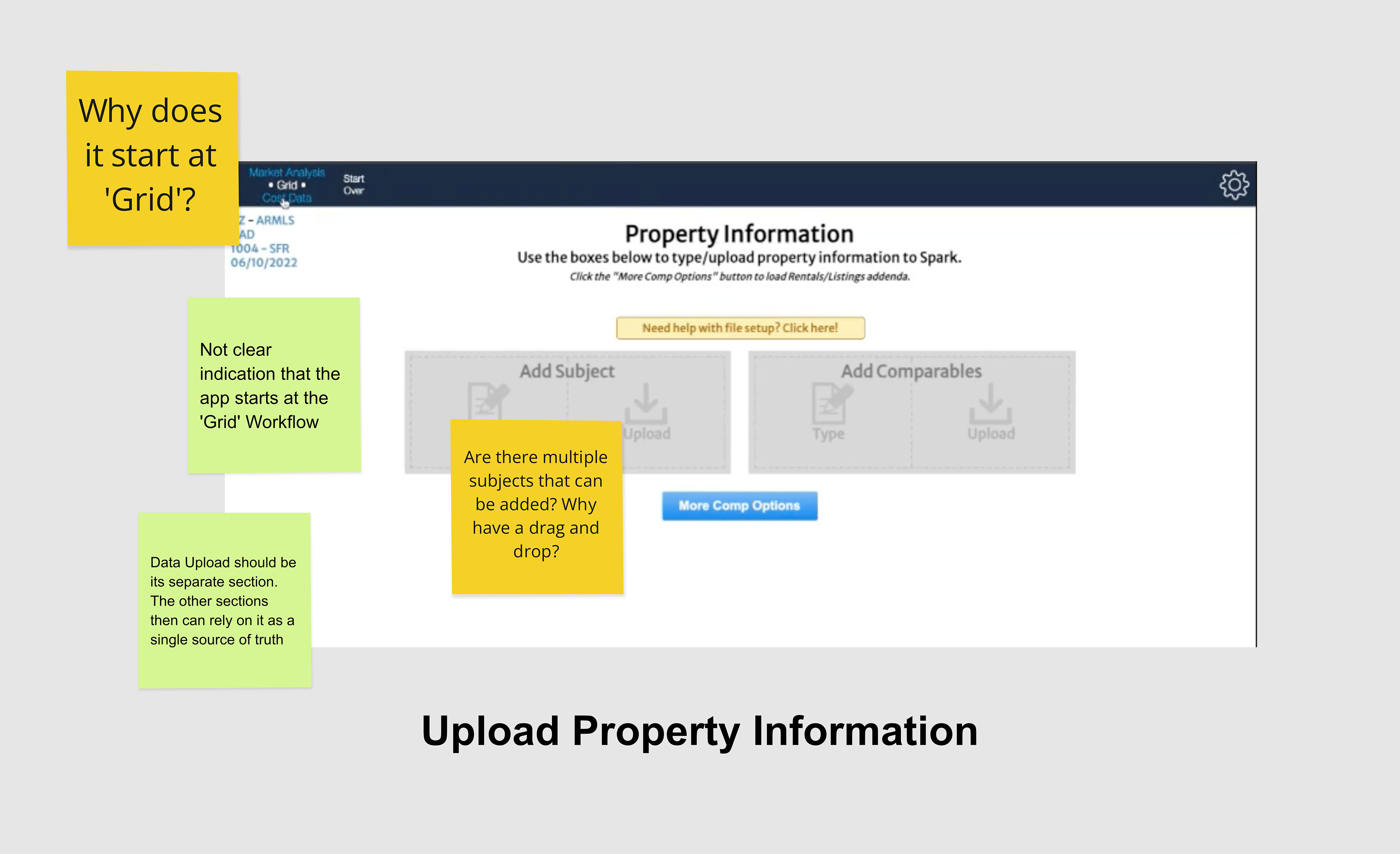
Left: Upon logging in, the user is prompted to upload property information. The subject is a single property that would be analyzed for the purpose of appraising its value.
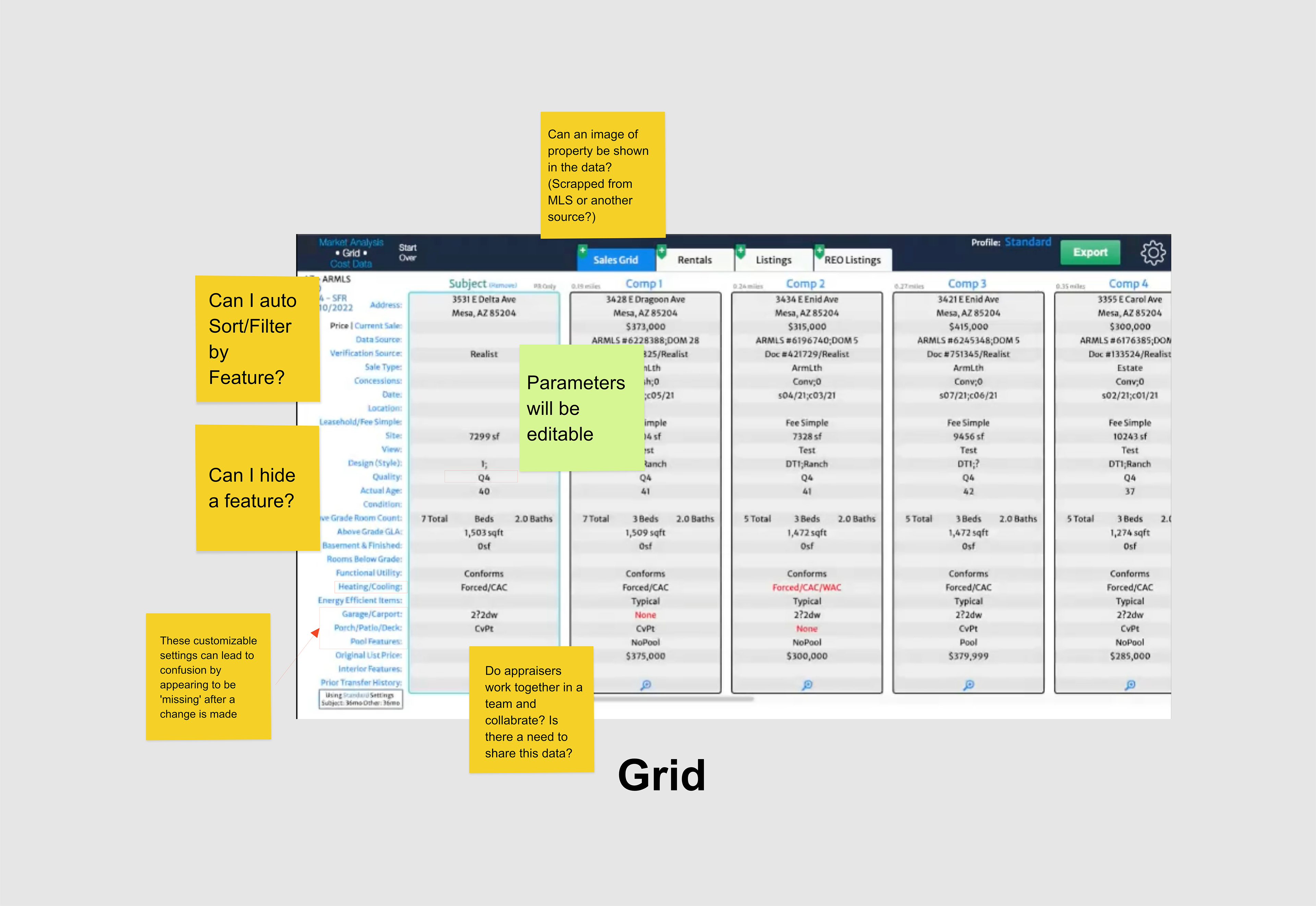
Right: The Comparative Grid, where the subject property is compared to similar properties in the neighbourhood.

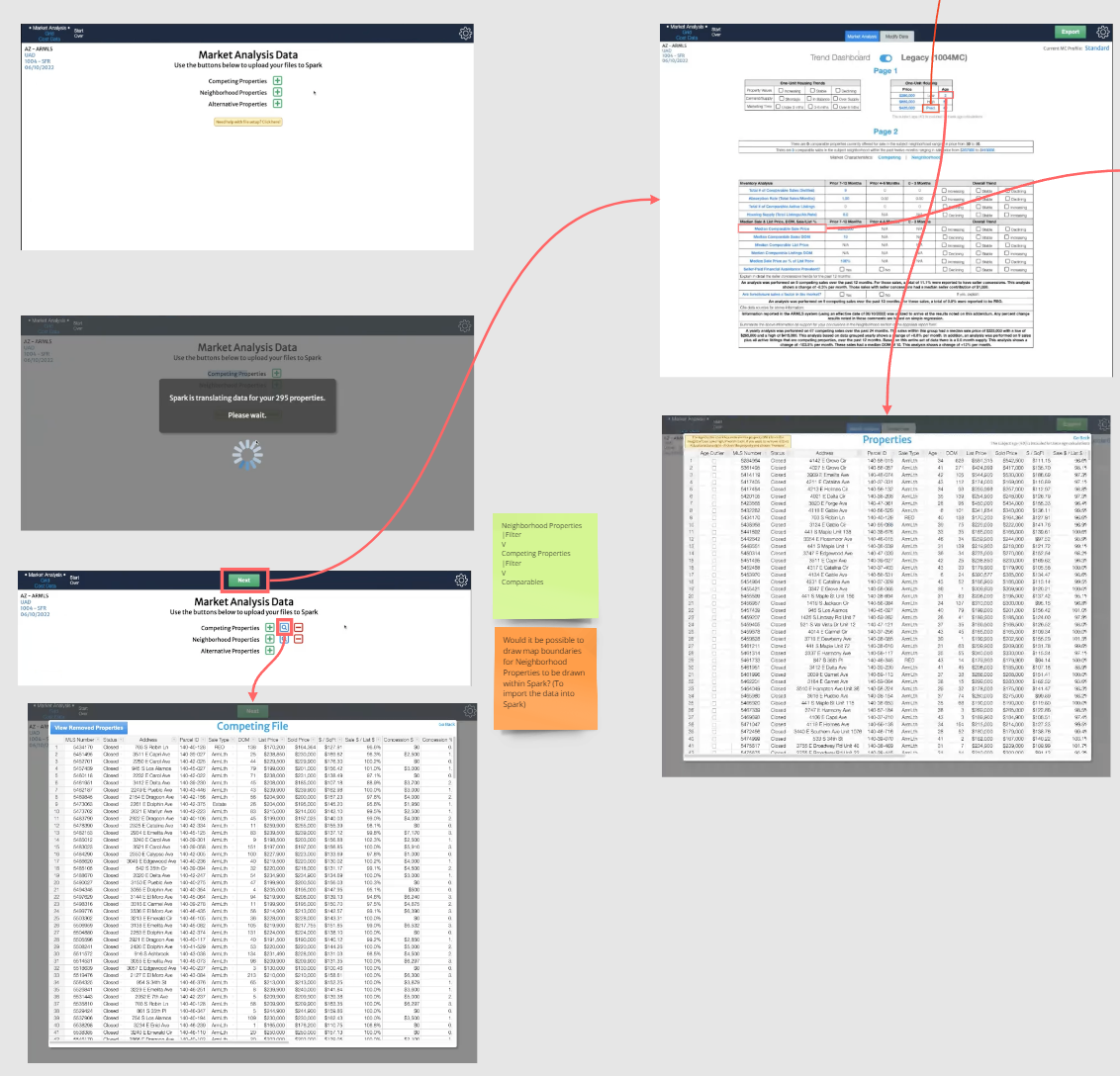
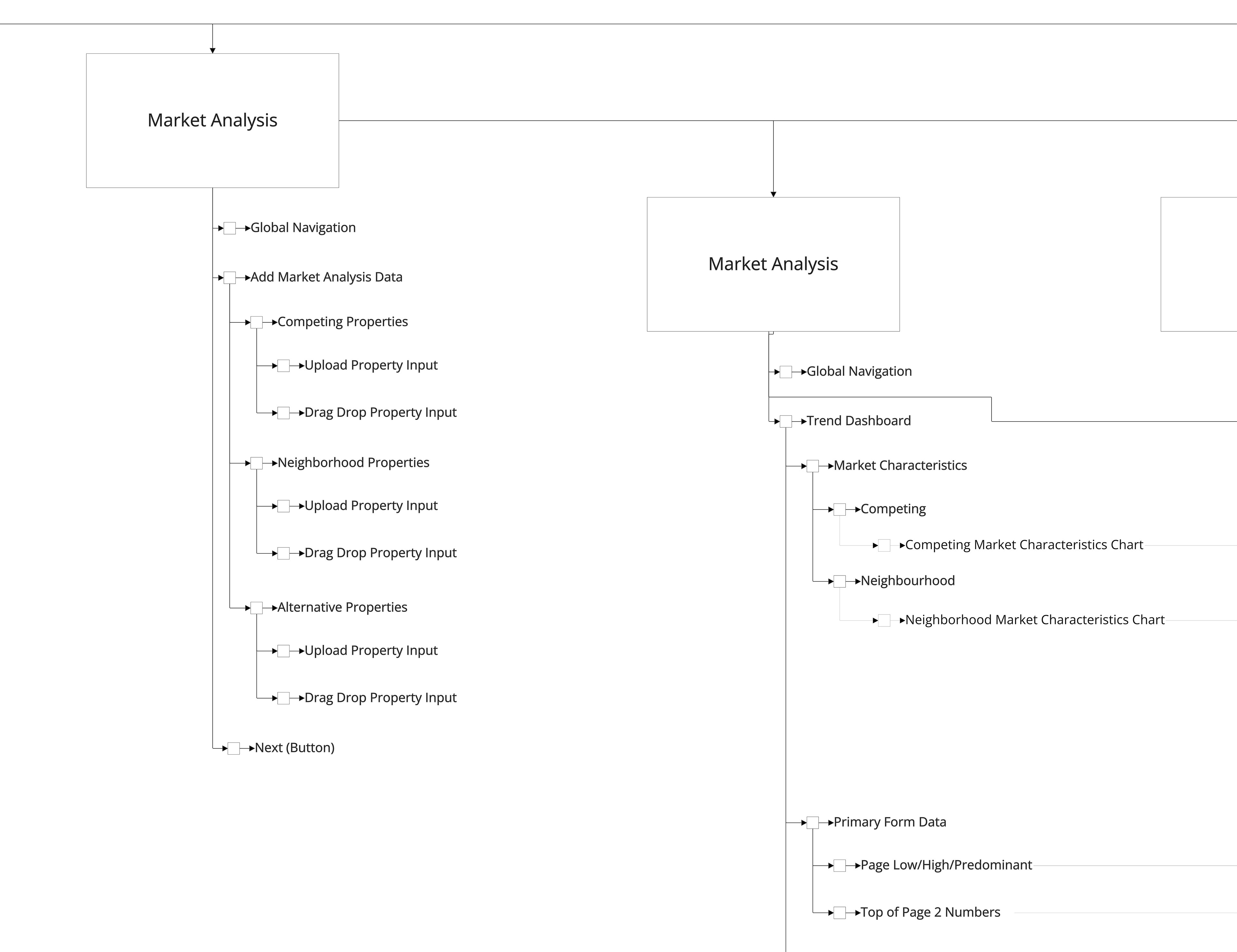
Zoomed-in view of the Market Analysis area, where an entire neighbourhood would be analyzed to describe where the general market is trending. This data is then calculated to help prove the accuracy of the appraisal. Here, there are many separate steps and screens appraisers had to navigate to analyze trends and cost data.


Function sitemap / Nova structure
With testing the production app and the screenshot map as reference, we broke down the app into an exhaustive map of all functions that can be done.
Snippet of the Market Analysis, with functionality that can be done for each page.
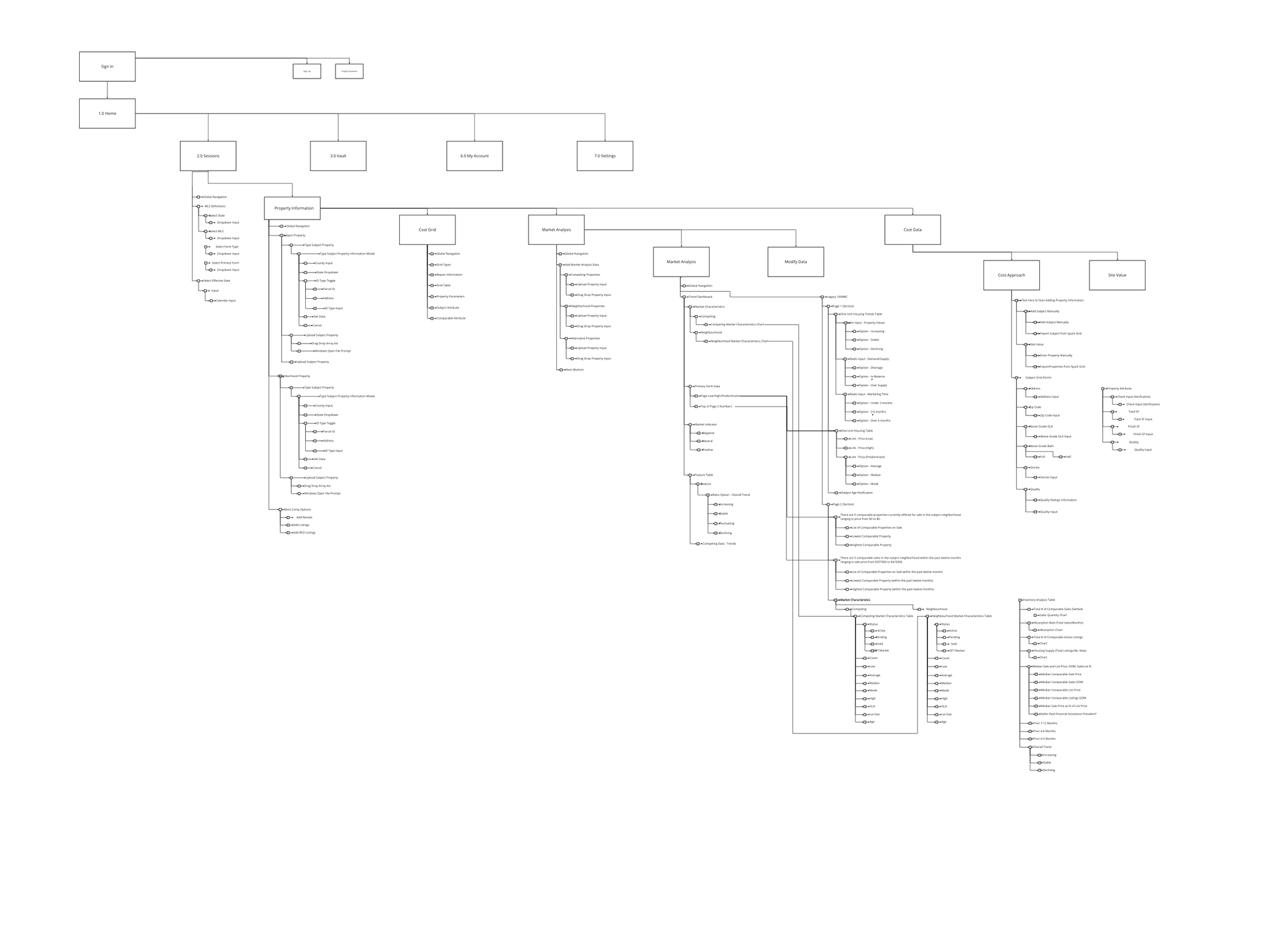
Full Function Map of the current Nova SaaS.
Function Map

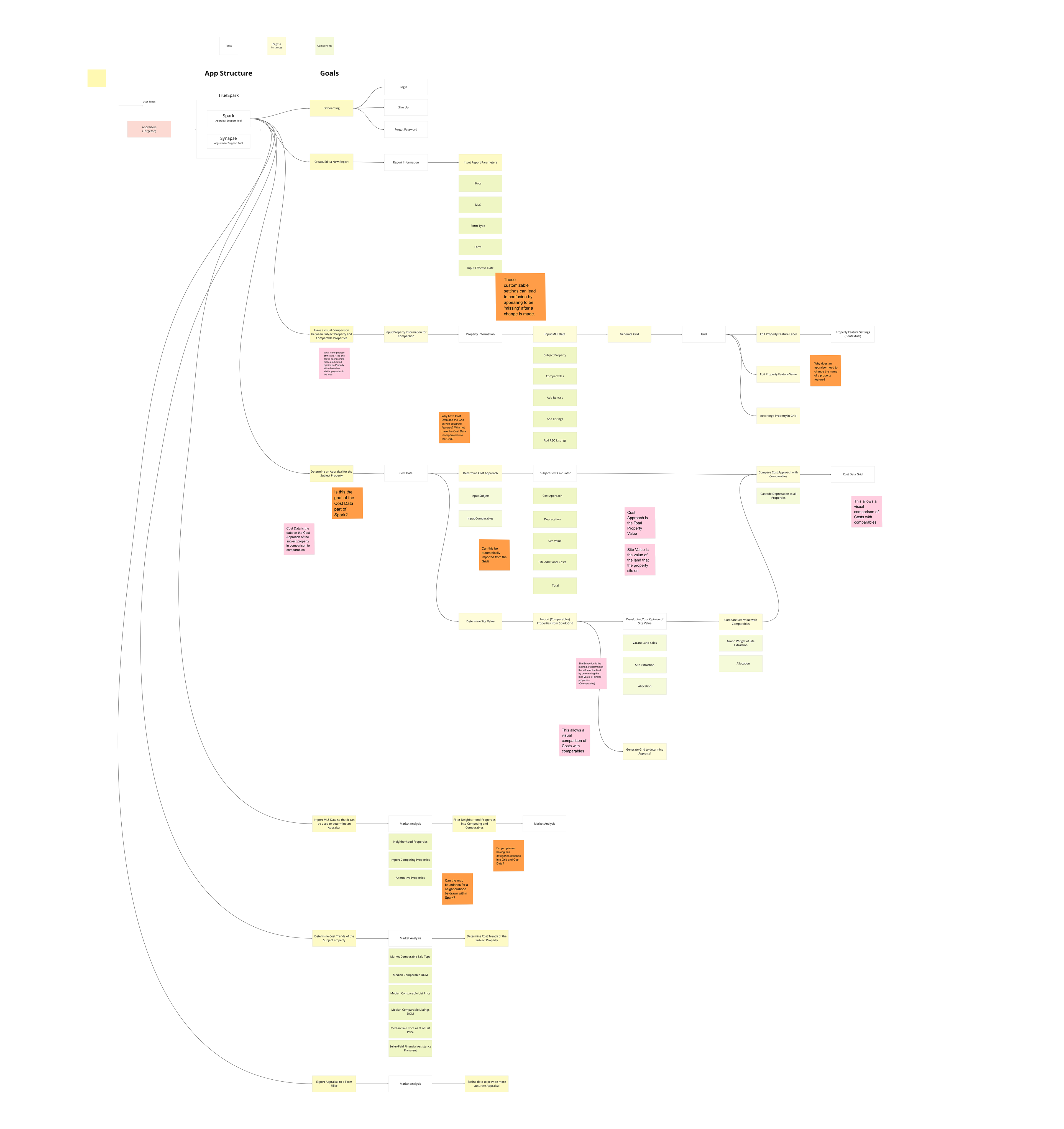
From these maps, the app was restructured into a clearer, user‑driven IA for Nova. Instead of the previous focus being on allowing customization, instead user intention is taken as the focus. Each goal leads to a screen. Any ambiguities can also surface, with the placement of sticky notes. This allows us to address the client's intentions with their userbase.
Nova Intention Sitemap, organizing the app into a single flow based on user intention: Home → Session → Get Data (Upload) → Market Trends → Grid → Adjustments → Cost Approach → Export.
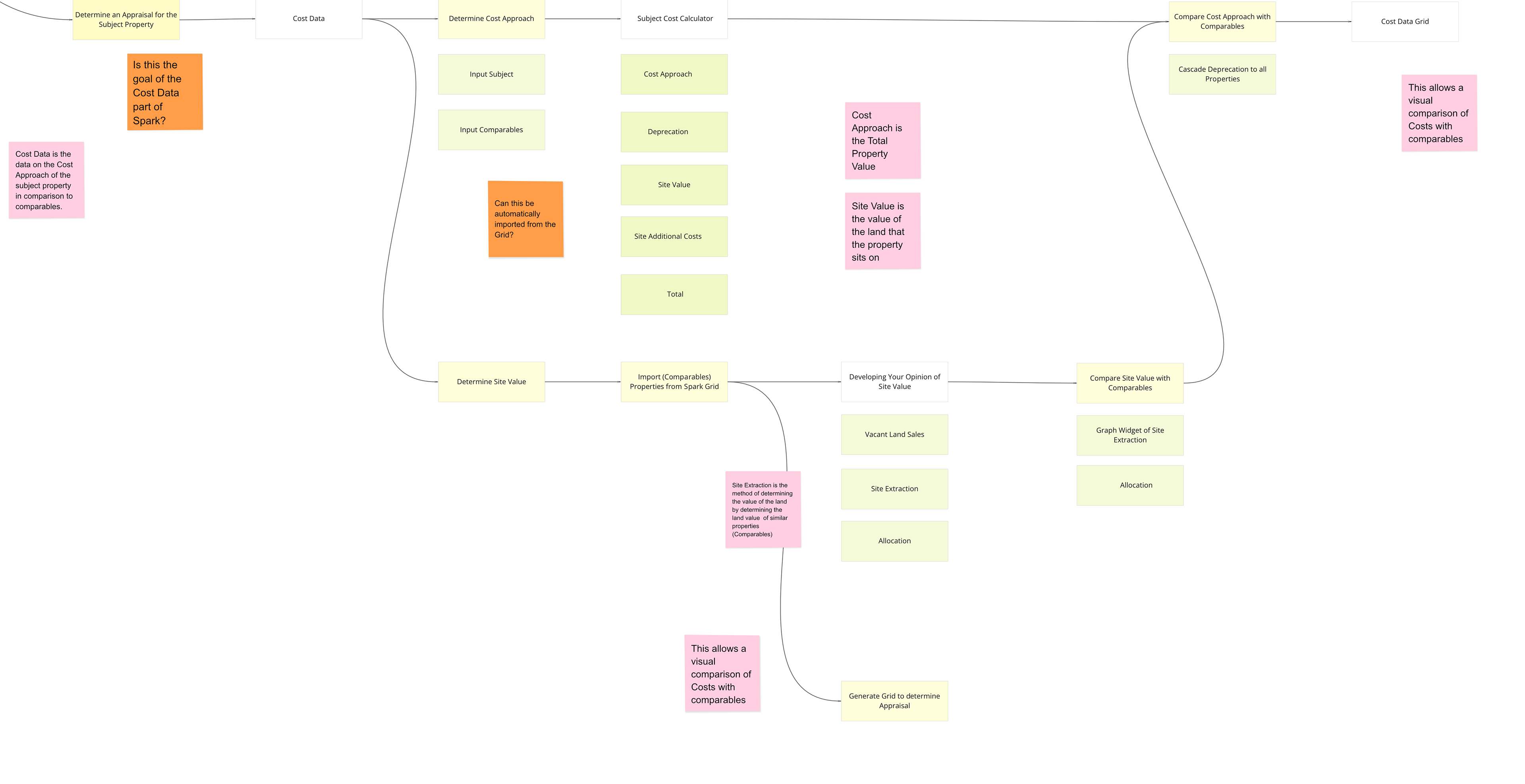
Nova Intention Sitemap - Snippet. Top: For comparisons between individual comps, the user would go to Property Information to upload this data first, particularly for the subject property. Bottom: Based on the features of the subject properties and its comps, the true appraised value can the calculated in another screen called Cost Data.
Process – from flows to UI

User Story Flows
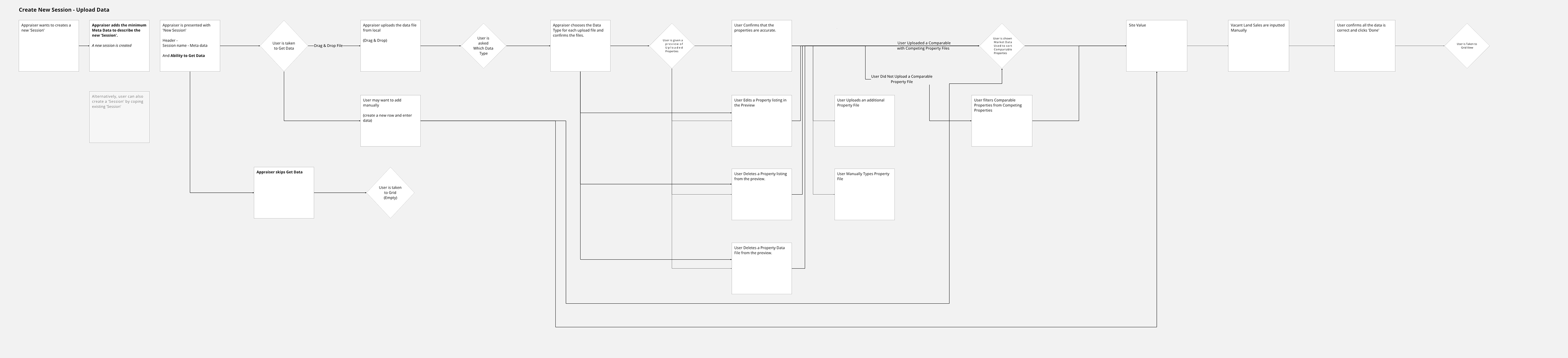
With an understanding of the functionality of the current app, and user needs, we made an exhaustive list of user stories. For major stories, flows illustrate how a user can navigate effectively.
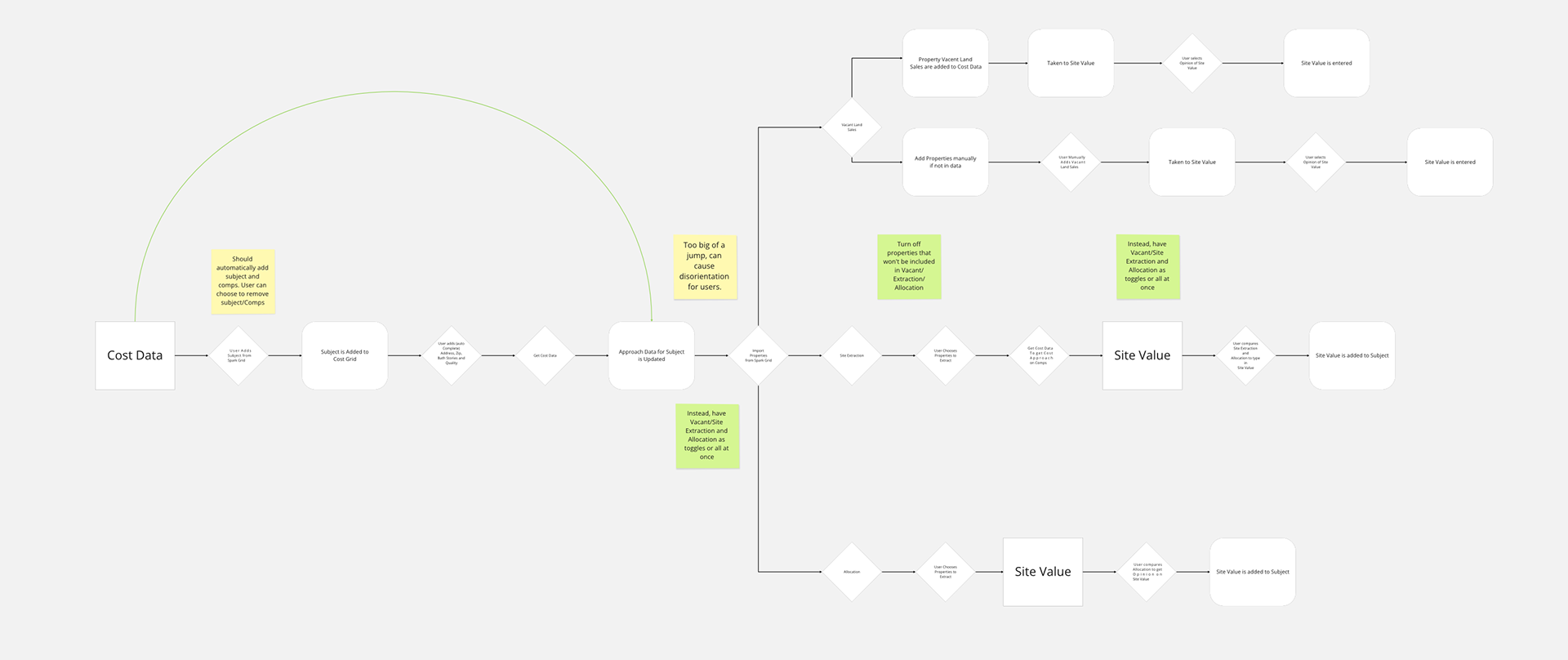
User story flow of creating a new session (a document) and uploading  capturing each action an appraiser takes—from creating sessions and uploading data to confirming comps and exporting reports.
Information Architecture
Connecting user stories together, a 'proto-wireframe' of the new app can be built which creates a high level of the new application's backbone.
Information architecture for the revamped app, mapping user stories into a coherent navigation and page structure.
Page User Flow
Then for each page, needs and functions are drawn as flows in granular fashion. This builds out what and how functions, modals, etc. would be used for the redesign.
Page-level user flow showing how appraisers move through Nova from starting a session to exporting a report.
Wireframing
Lastly, wireframes are made to define structured functions.
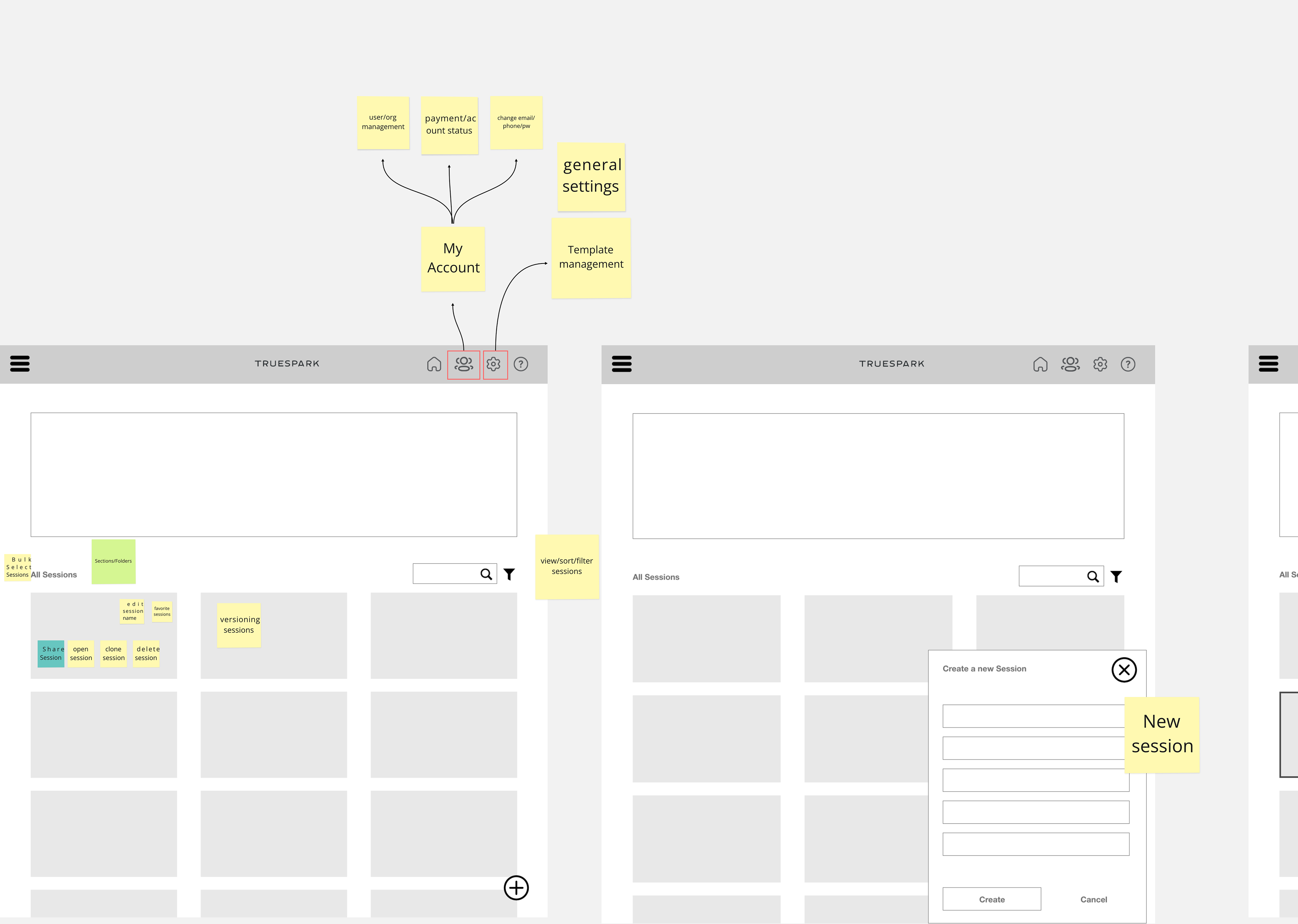
Early wireframes translating flows and IA into concrete layouts for sessions, Market Trends, and the comparable grid.
Home & Session model
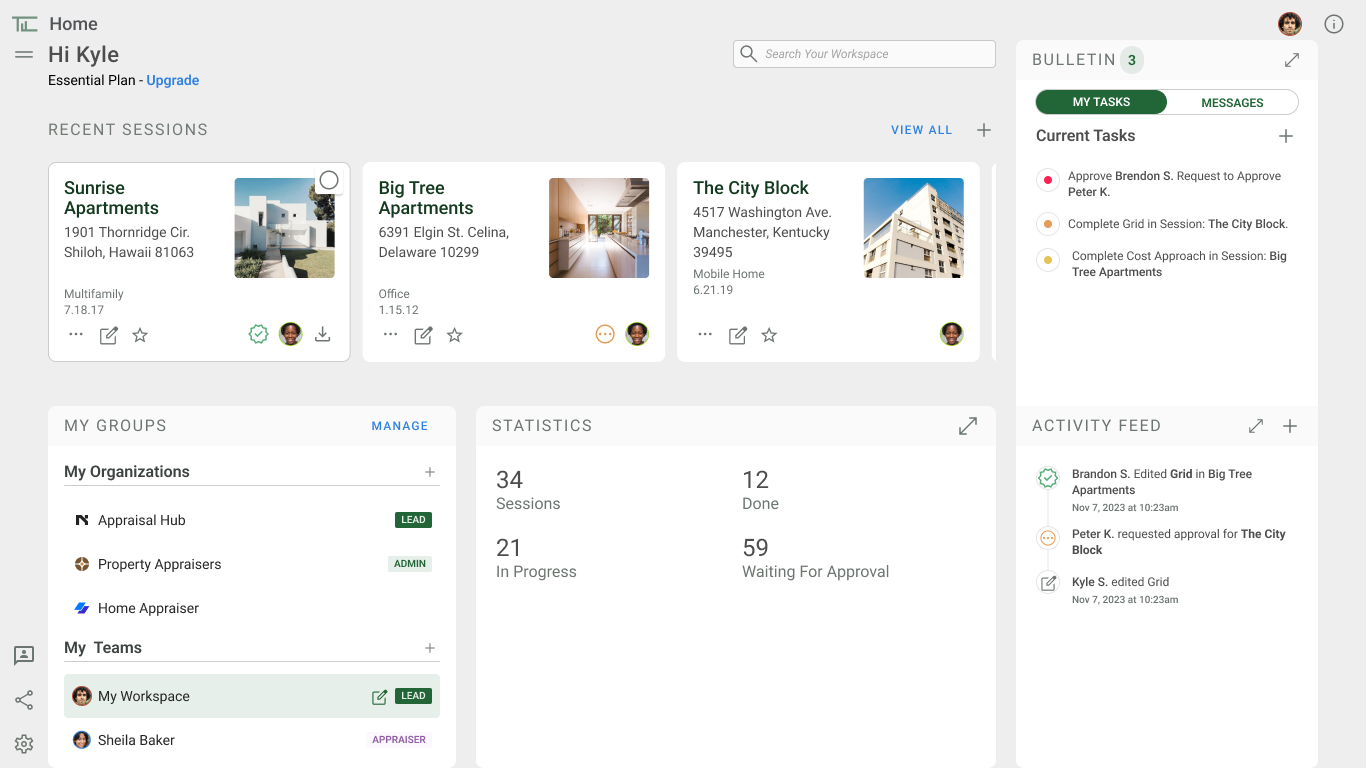
Nova introduces sessions as the unit of work, with a proper home and session selection view missing from the legacy tools.
Home / Sessions screen where appraisers can create, open, and manage appraisal sessions by subject property.
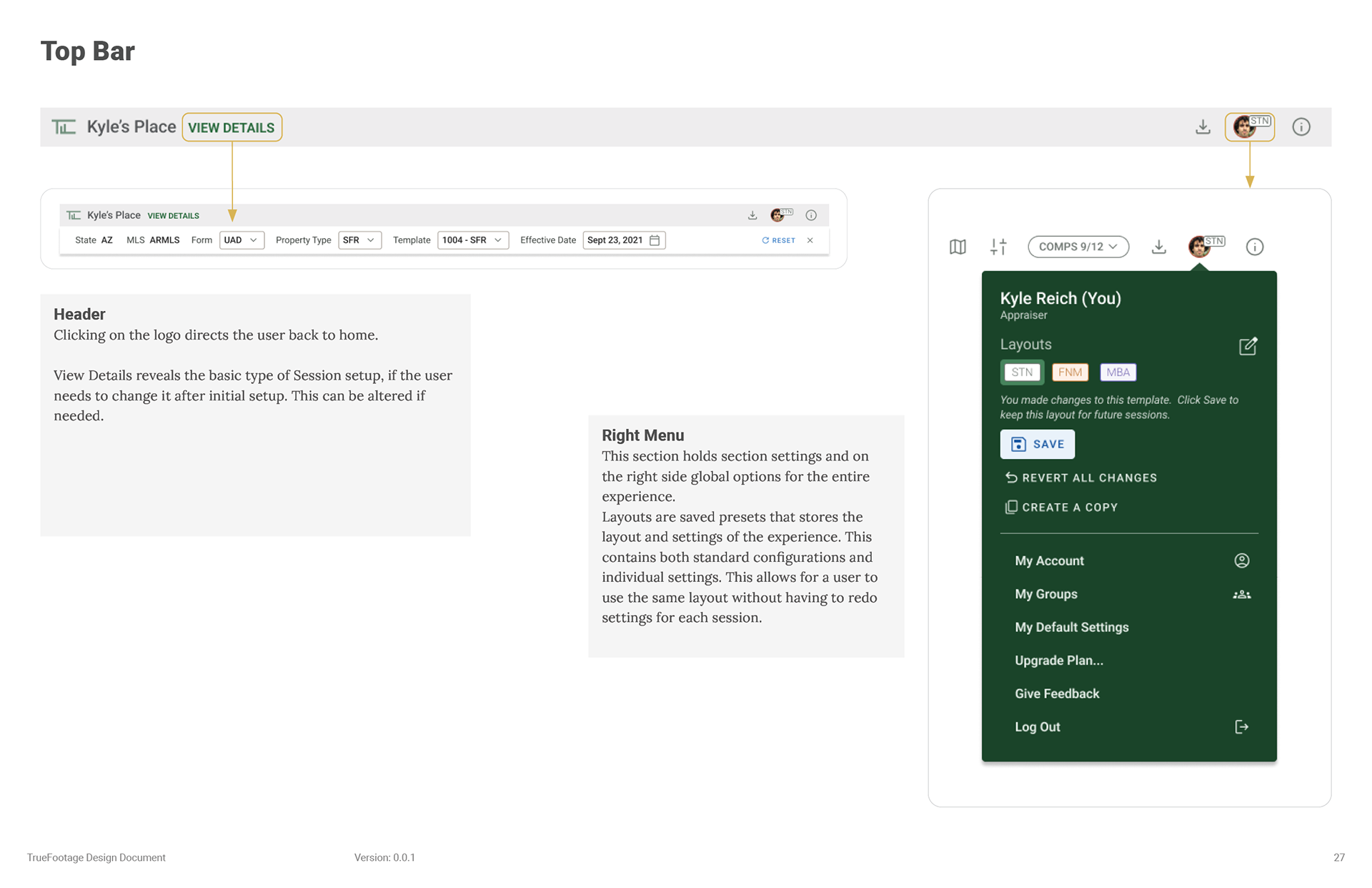
Session header keeps property context, status, and navigation to Market Trends, Grid, and Adjustments visible throughout the workflow.
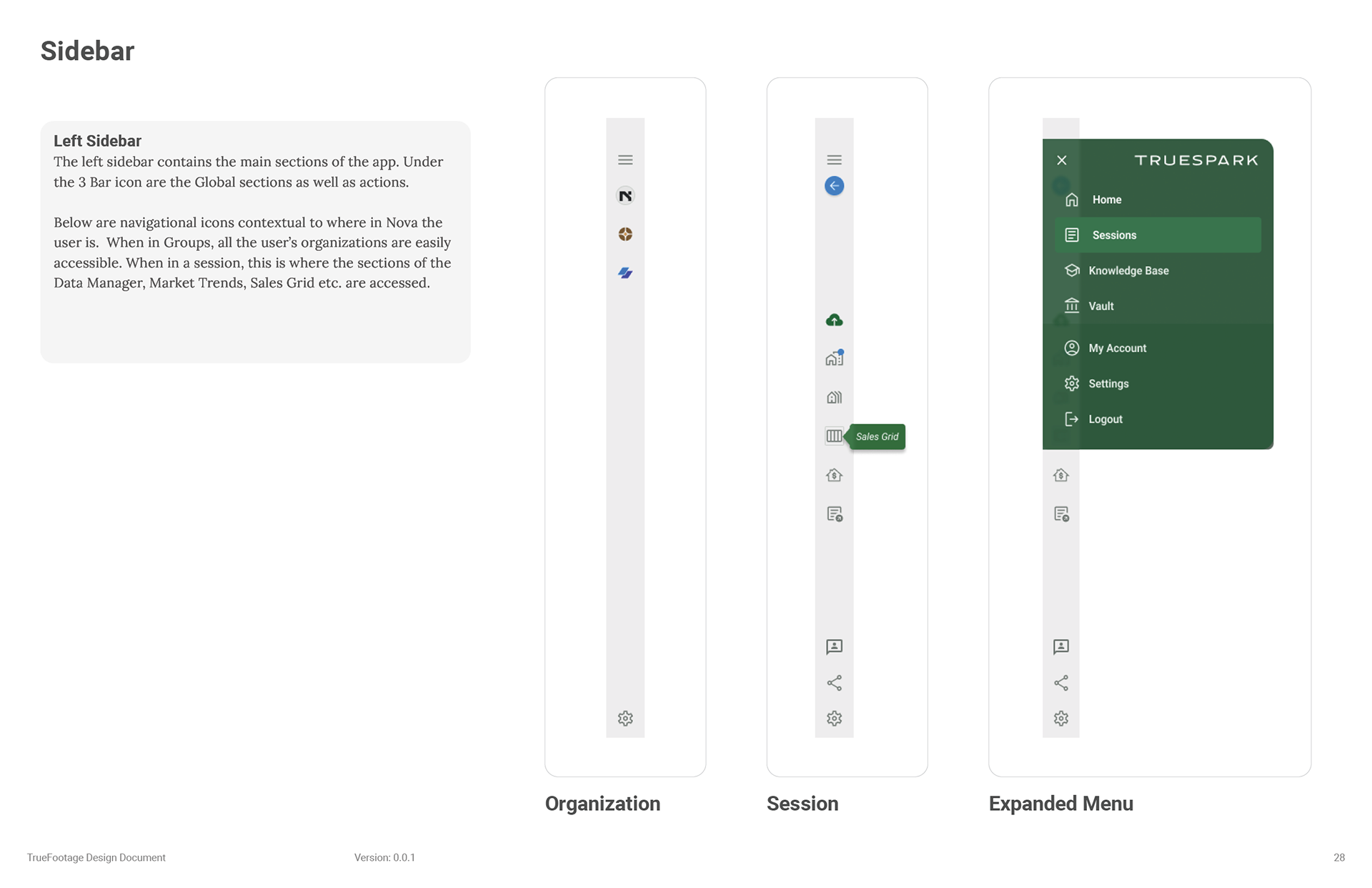
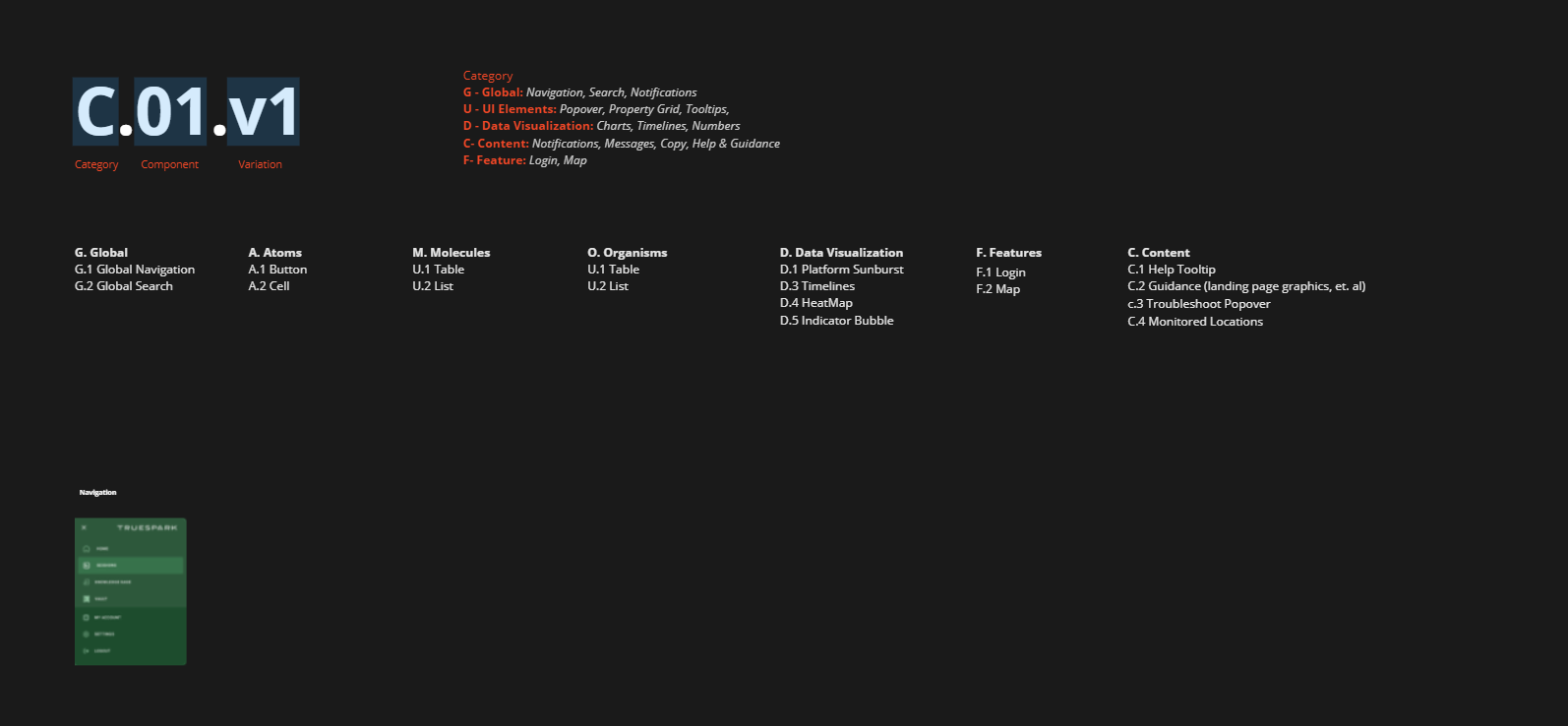
The Sidebar which acts as the navigation throughout the entire experience.
Get Data & Data preview
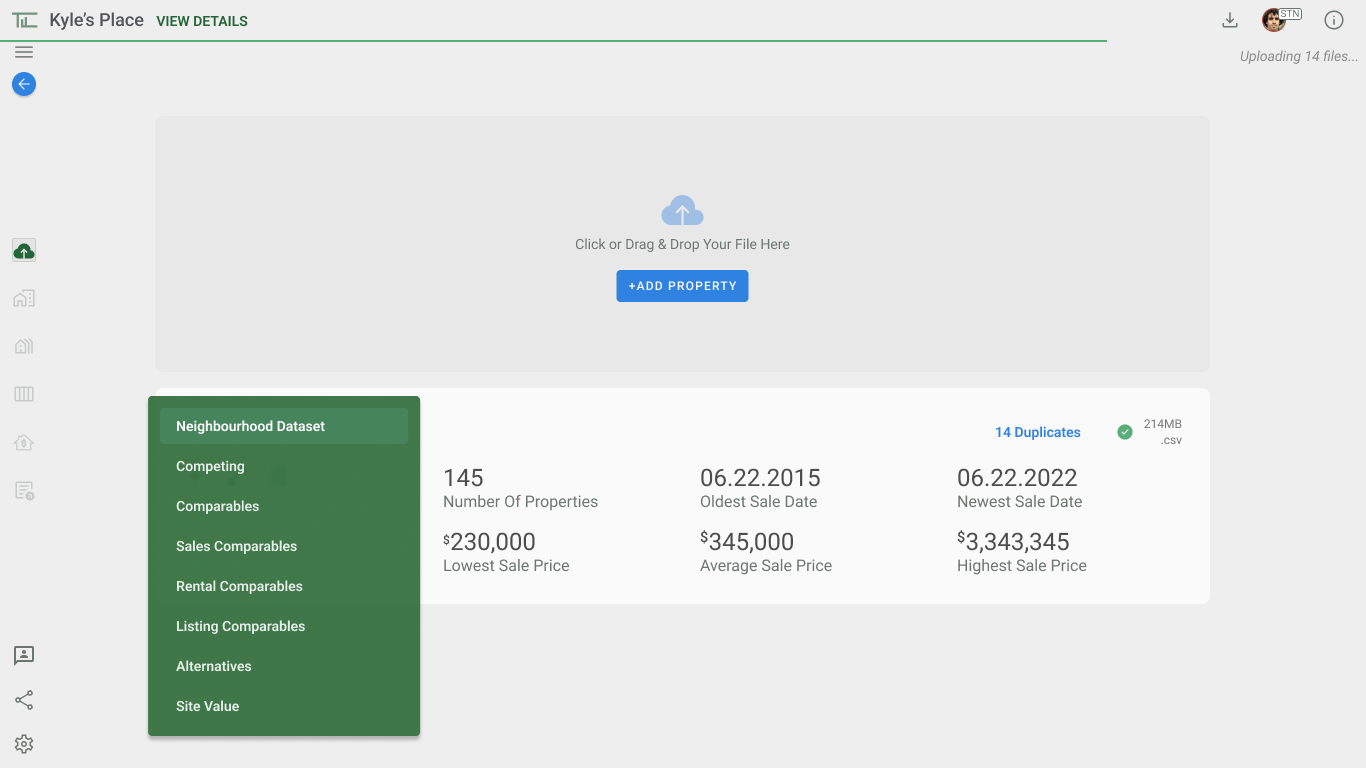
The Get Data flow consolidates upload, dataset typing, preview, and validation so issues surface before appraisers reach the grid.
Get Data step where appraisers drag-and-drop MLS and other files, assigning each to the correct dataset type in a single place.
Section B – Making appraisal data legible
Turning dense MLS, grid, and adjustment data into views appraisers can quickly scan, trust, and defend in their reports. 


Sub-section 1 – Market Trends & 1004MC Review
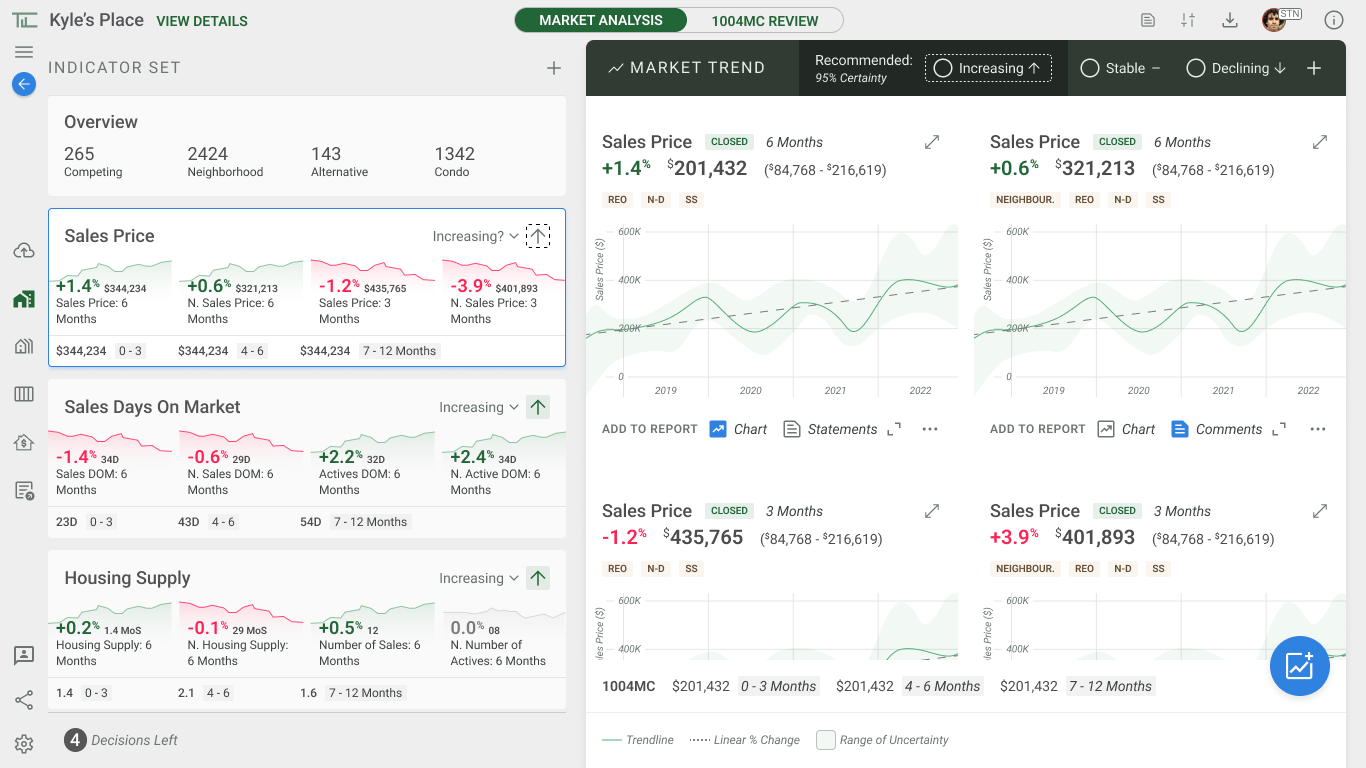
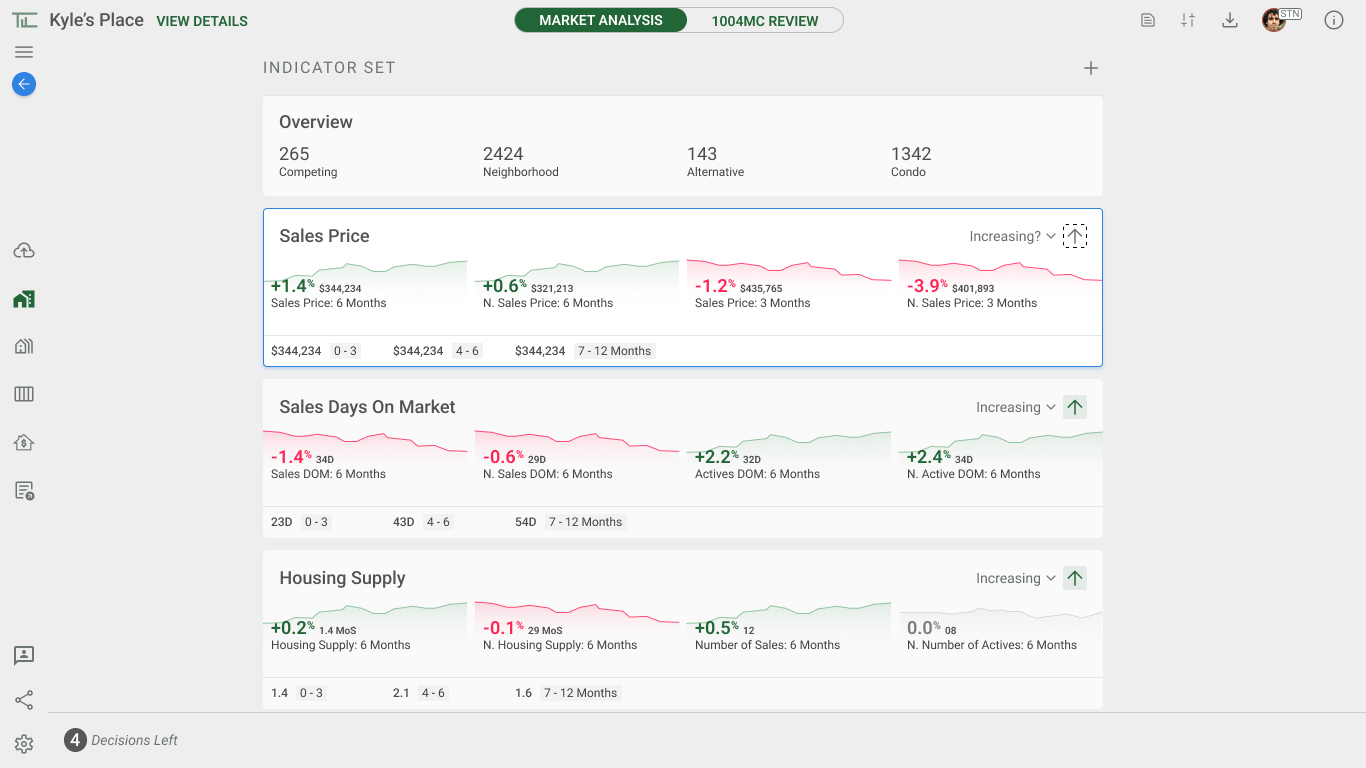
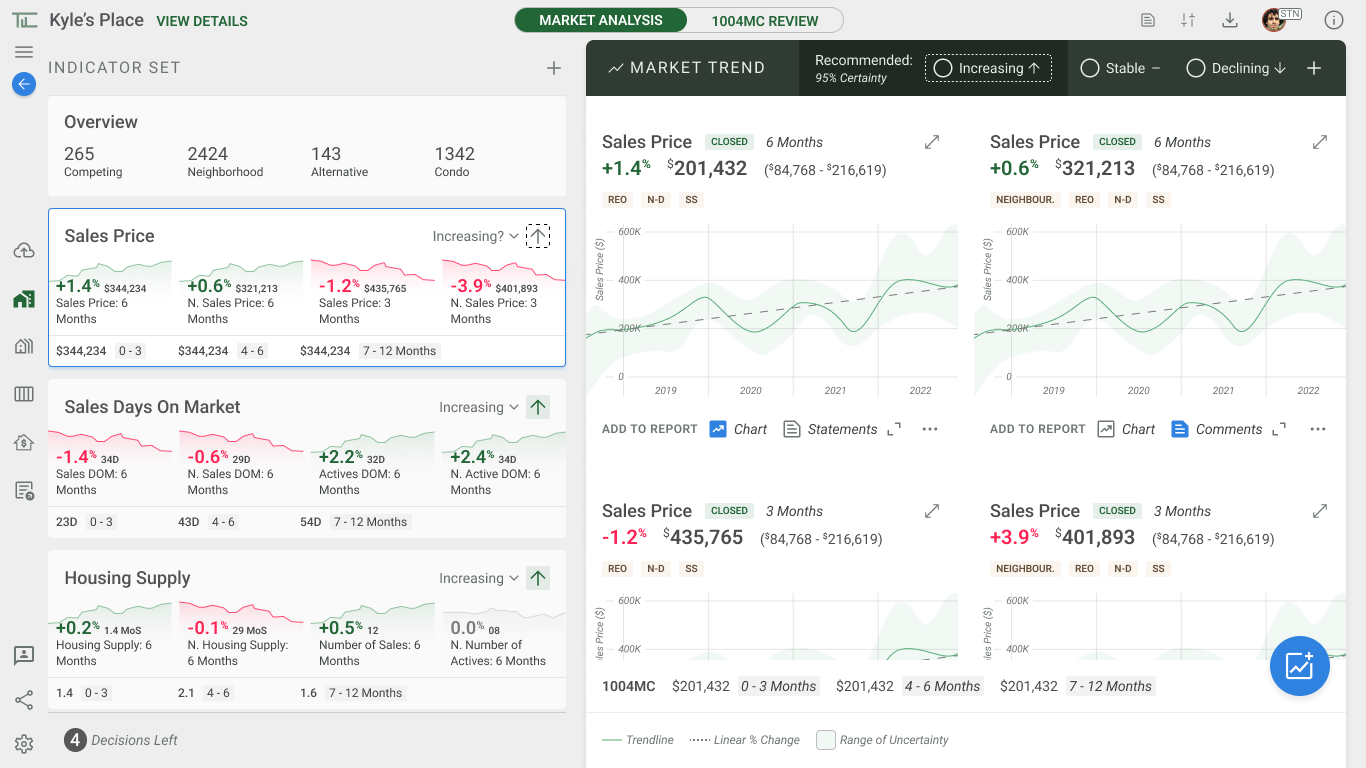
Market Trends surfaces key metrics as indicator cards and charts. This is key to reporting to Housing regulators where the market is trending to help justify the appraisal.
The legacy, formally required form, 1004MC can also be used, for experienced appraisers.
Market Trends view. This The left column is a summary of market indicators, pre=selected by Nova. Each card acts as a preview, with a detailed view on the right.  To complete this section, the appraiser must confirm all market trends, highlighted in black. While Nova can recommend, the appraiser must have the final say.
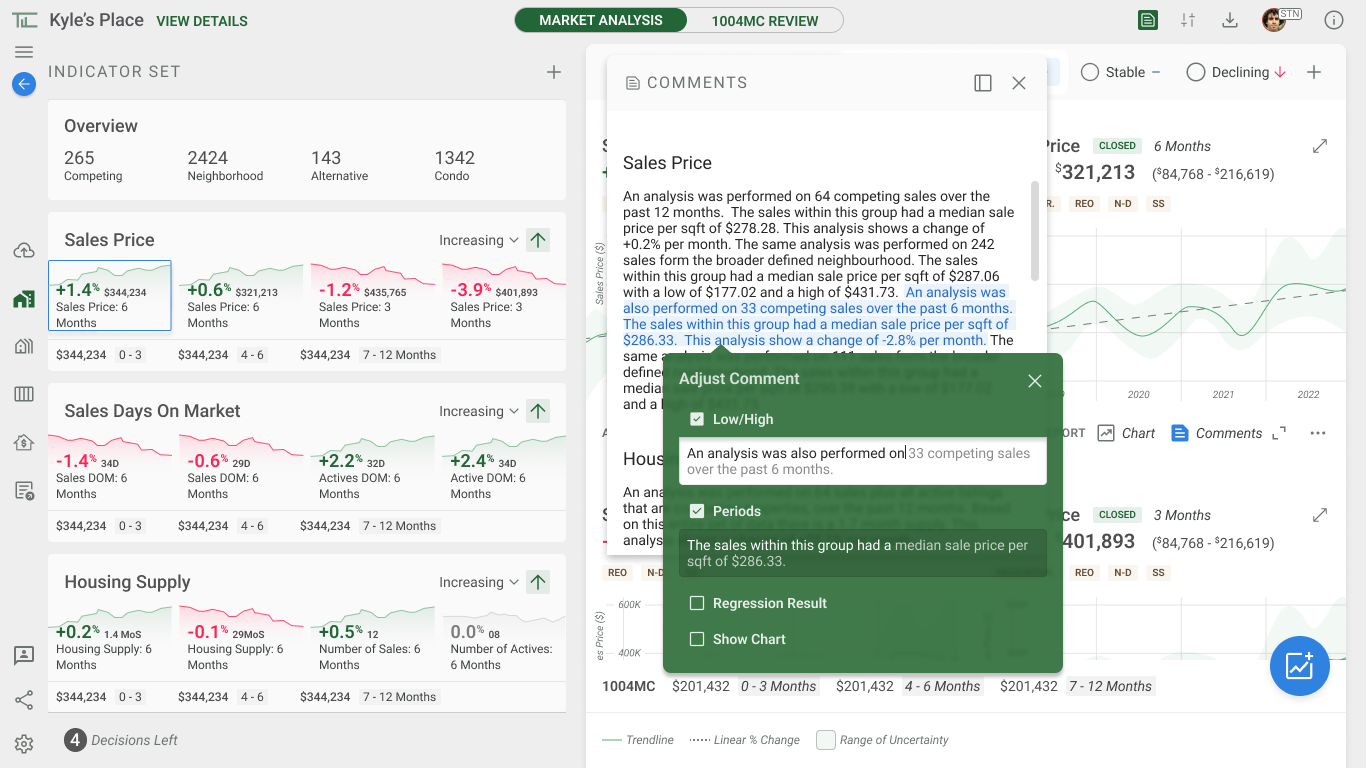
Comments panel open
Comments panel auto-generates narrative explanations from the metrics, while allowing appraisers to edit text for their 1004 report.
Comparable Grid
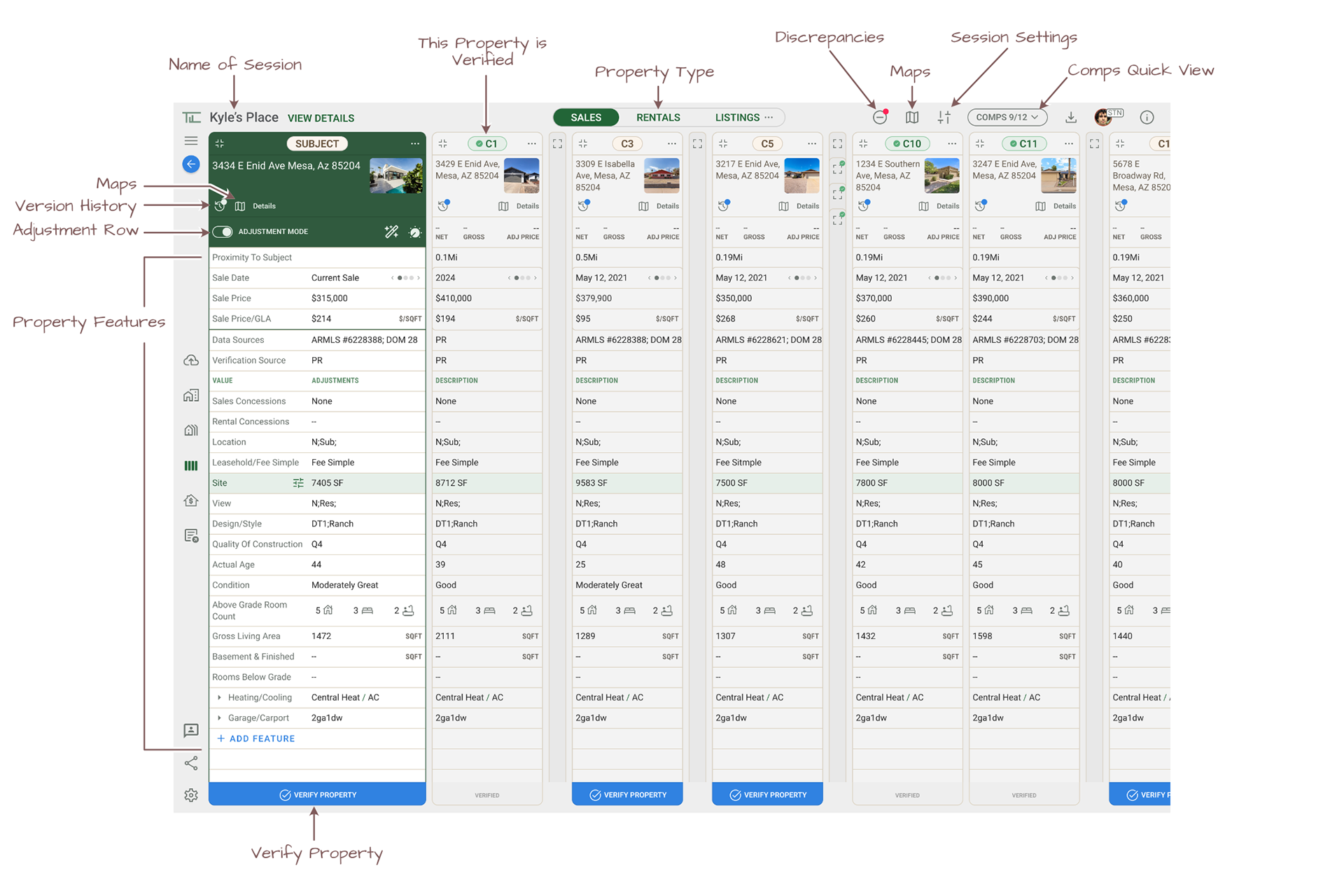
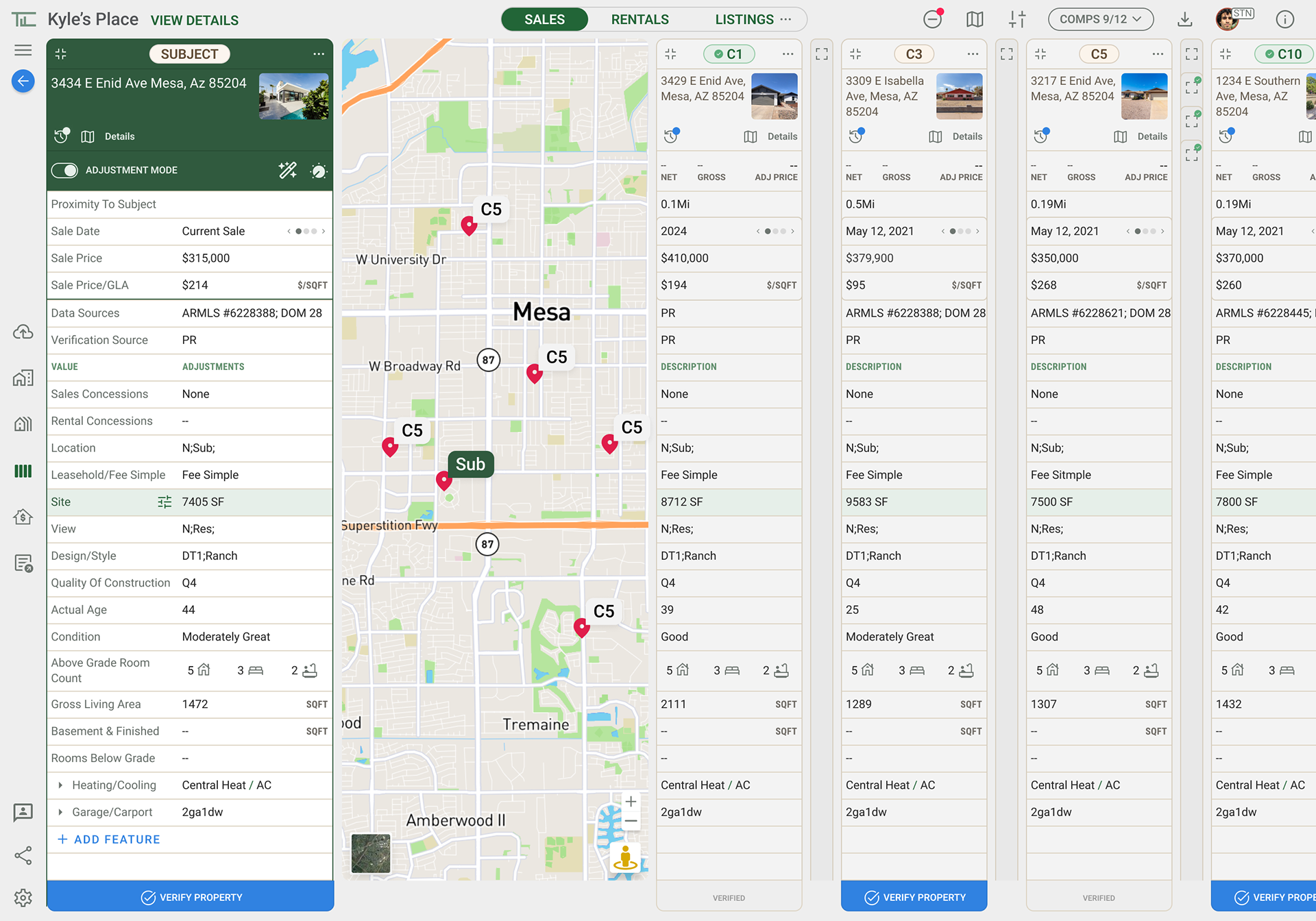
The Grid allows appraisers to compare subject and comps across sales, rentals, and listings in a structure that respects legal forms but improves usability.  Once a particular property has been verified, the user can confirm with the designated 'Verify Property' at the bottom. If the property was previously verified, it would auto-verify.
Sales grid showing subject and comparable properties across key features, aligned to the traditional Sales Comparison Approach format.
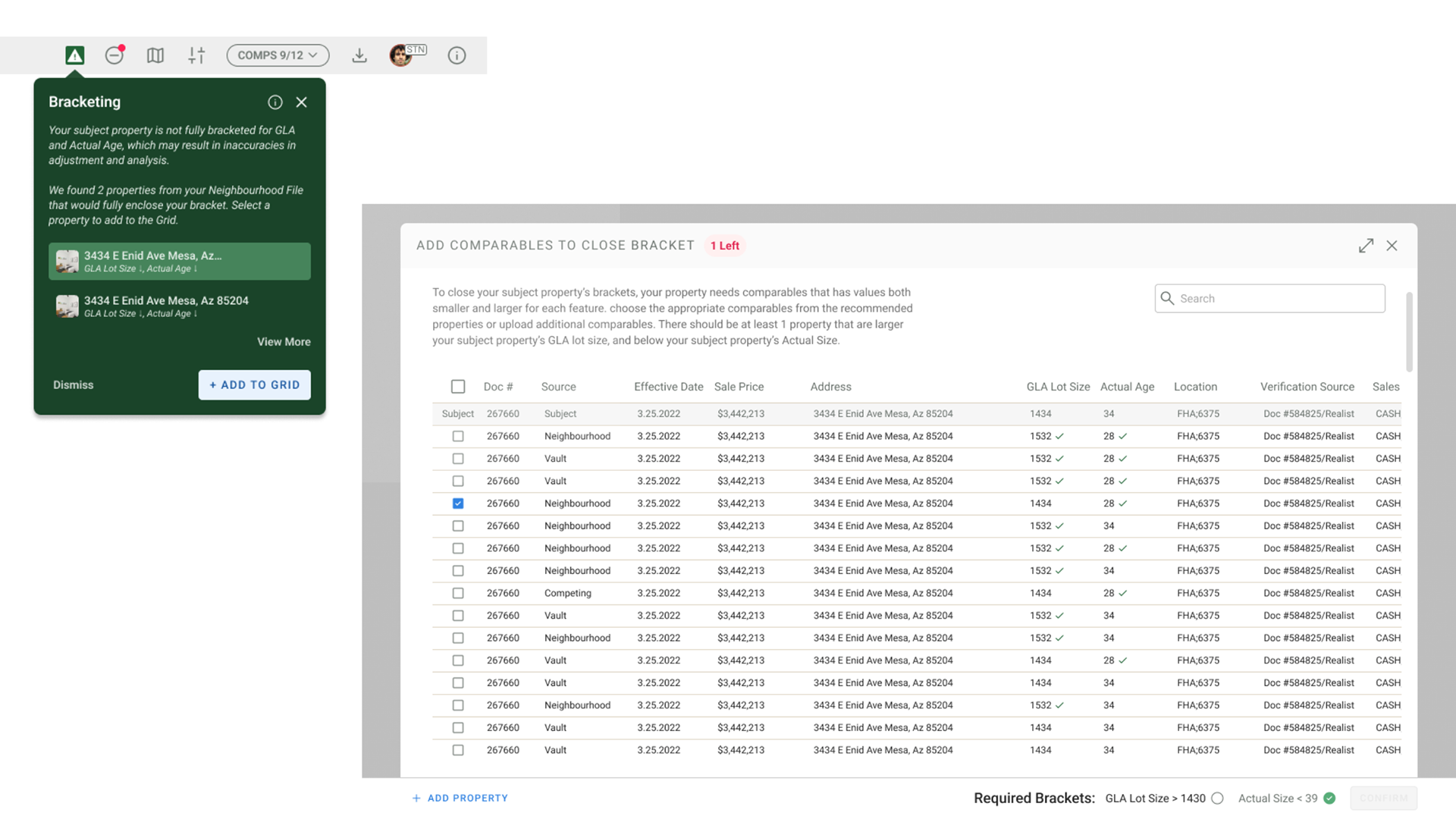
Warnings like “Lot Size isnt bracketed” flag statistically weak areas so appraisers can adjust their comp set or ranges.
Map view gives spatial context; hovering markers reveals property details so appraisers can confirm proximity and neighborhood comparability.
Grid responsiveness & density
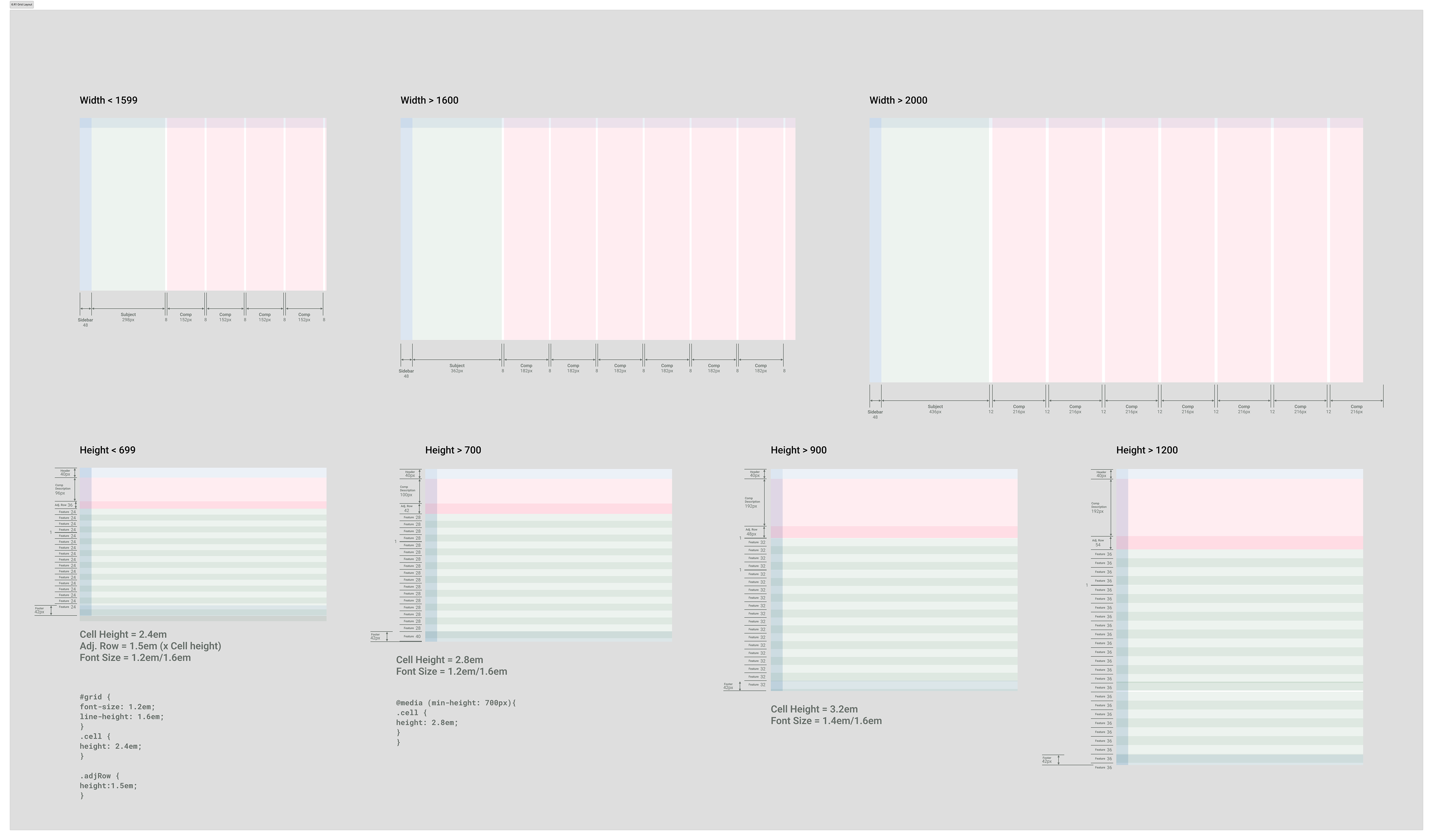
Responsive rules keep the grid legible on older laptops while still showing enough rows and comps for comparison.
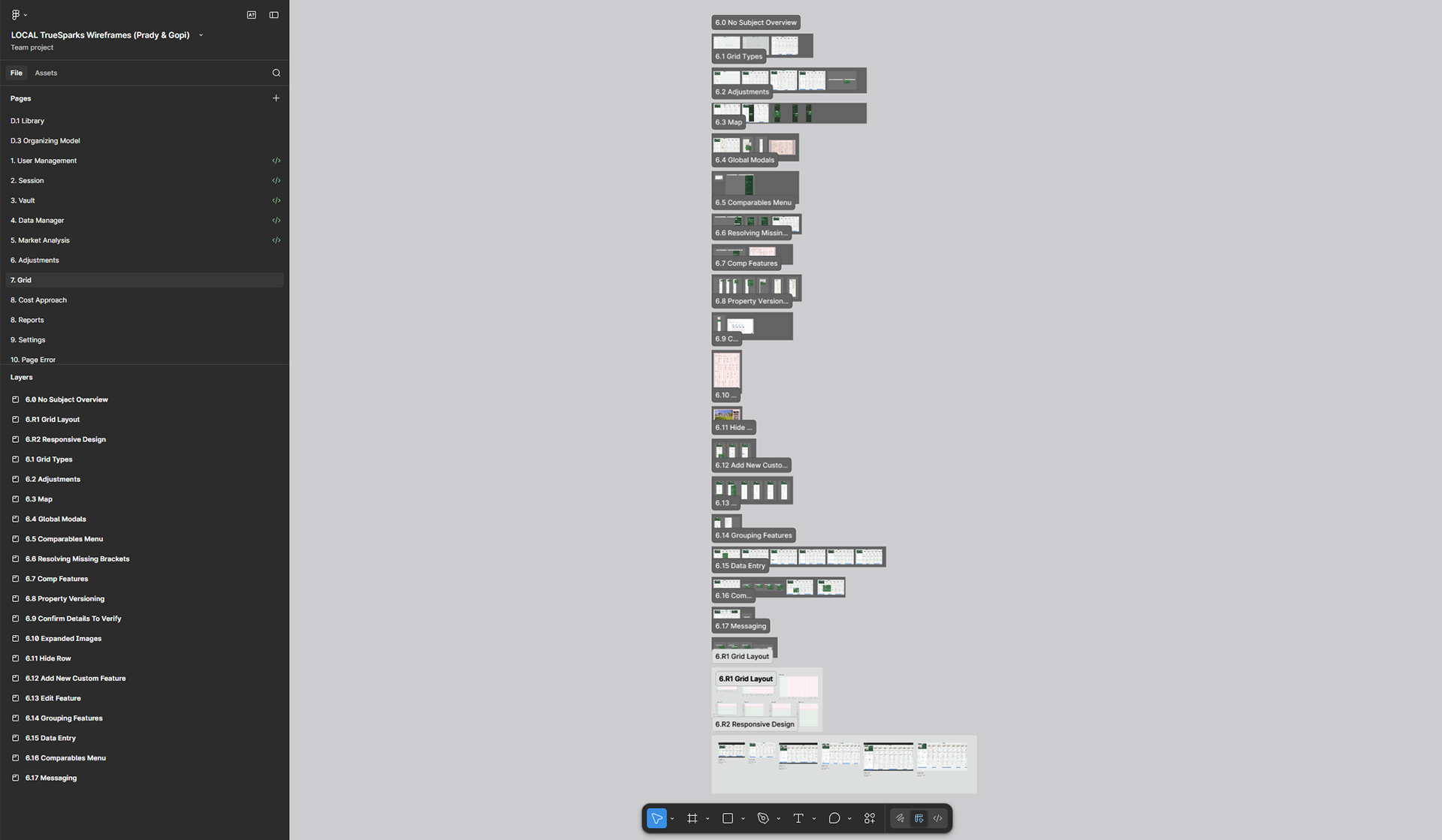
Upper Row: Like standard responsive browser experiences, the comps columns scale at fixed sizes as the width increases.
Lower Row: At smaller viewport heights, cell height and font size decrease to ensure at least ~15 visible rows without sacrificing readability. At larger heights, text and cell size scale up so appraisers with bigger monitors gain visibility and comfort instead of wasted space. With the Root Em set at 10px, rows and font sizes scale and remain proportional as the vertical viewport scales.
Back to Top